How many watts does your MacBook charger need?
Mac charging guide · Sources checked October 9, 2026 (Japan Standard Time)
Start with your Mac’s exact model and the charger you already own. Enough power for your work and support for fast charging are separate checks. If the existing setup meets your needs, a higher number on a new charger is not a reason to replace it.
This guide covers USB-C charging and MagSafe 3 combinations. It does not cover adapting older MagSafe connectors or rank chargers for sale.
1 Find your model’s starting point
Record the screen size, year, and chip from About This Mac, then open that model’s specifications. Bundled power adapters can differ even within one model year:
- MacBook Air M2, 2022: Apple lists a 30W adapter for the 8-core GPU configuration, or a 35W dual-port adapter for the 10-core GPU/512GB configuration. M2 Air specifications
- MacBook Pro 14-inch, 2021: the 8-core CPU M1 Pro configuration shipped with 67W; 10-core CPU M1 Pro and M1 Max configurations shipped with 96W. 2021 Pro specifications
These examples are starting references, not a universal wattage table. Apple recommends a USB Power Delivery source meeting at least the minimum wattage recommended for your particular Mac. A lower-powered compatible source can still charge it, but may not suit your workload. Apple’s adapter guide
USB PD lets the devices agree on power. A compatible charger marked 140W does not force 140W into the Mac; the label is a capability, not constant consumption. USB-IF’s explanation
2 Check the port allocation and cable
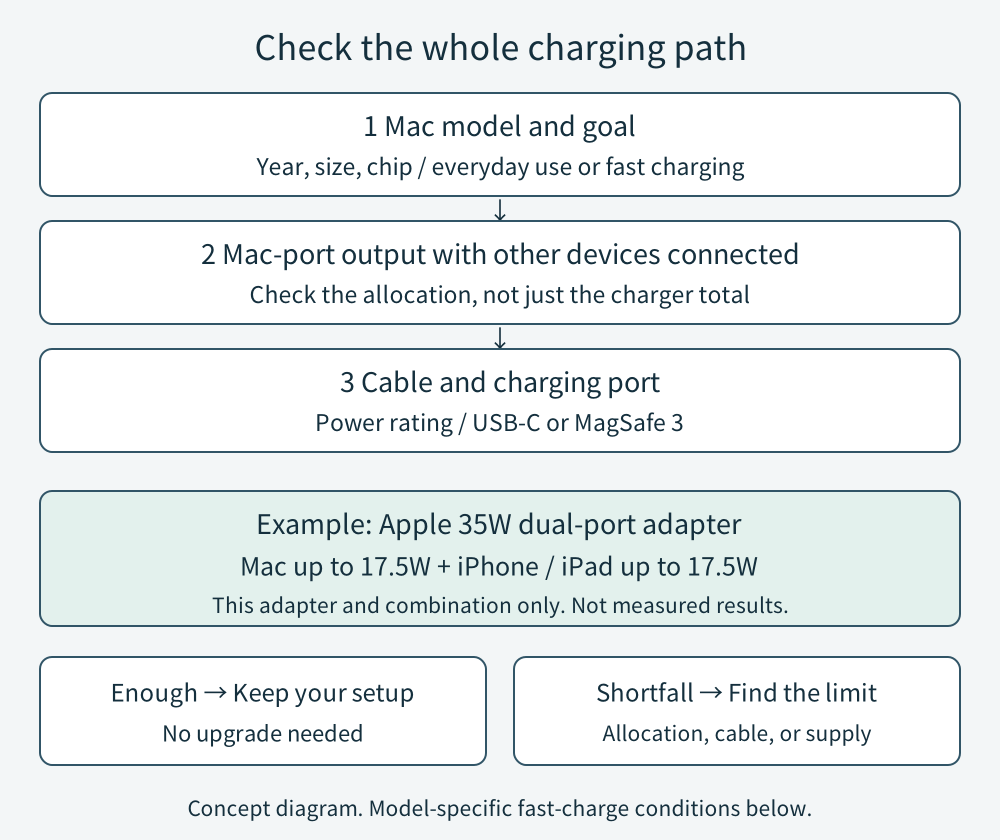
Read the output table for the exact charger and the ports you will use together. “100W total” alone does not tell you how much the Mac receives when a phone is connected.
Apple’s 35W Dual USB-C Port Power Adapter is a concrete example: with a Mac and an iPhone or iPad connected, each receives up to 17.5W. That rule is specific to this adapter and combination. Other chargers distribute power differently. Apple’s dual-port instructions
Expand the diagram
Scroll within the diagram horizontally; arrow keys work when focused.
For USB-C to USB-C, check the cable’s stated power rating as well as its ends. USB-IF’s current certified cable logos identify 60W or 240W capability; data speed is a separate label. Do not assume a cable is suitable just because it fits, or discard a documented older cable solely because its labeling differs. USB-IF cable-logo guide, PDF
3 Add fast charging only if you need it
The following are selected Apple-listed combinations, not an exhaustive list or a guarantee for any third-party product with the same wattage:
| Mac | Example adapter and cable |
|---|---|
| MacBook Air, 2022 or later | Apple 70W + USB-C to MagSafe 3; Apple also lists 67W for 13.6-inch models only |
| 14-inch MacBook Pro, 2021 or later | Apple 96W + USB-C to MagSafe 3 |
| 16-inch MacBook Pro, 2021 or later | Apple 140W + USB-C to MagSafe 3 |
| 16-inch MacBook Pro, November 2023 or later, charging through USB-C | Apple 140W + 240W USB-C Charge Cable |
Apple describes charging compatible models to approximately 50% in around 30 minutes under its test conditions, starting with drained batteries. Settings and environment affect the result. These are Apple’s claims, not measurements made for this article. Check the complete model, port, and cable combination before buying. Apple’s fast-charge requirements
4 Compare your existing setup before spending
Connect the Mac by itself, using a known compatible cable. For Apple’s 35W dual-port adapter, unplug the other device and its cable for this comparison. Record what changes when you reconnect it. Dual-port troubleshooting
Hold Option while opening the Apple menu, choose System Information, then Power. Record the wattage under AC Charger Information. Treat this as information about the connected supply, not a live measurement of watts entering the battery. Apple’s power check
During your normal work, note the battery percentage and status. A source may run the Mac without leaving enough power to recharge; demanding work can also drain the battery while connected. Apple’s charging troubleshooting
A pause is not automatically a weak charger. Optimized Battery Charging can show “Charging On Hold.” On macOS Tahoe 26.4 or later, “Slow Charger” identifies an underpowered charging solution. Connecting two chargers to the Mac does not add their wattages together. Apple’s charging-status guide
Buy only for a specific shortfall
Keep a setup that meets your work and charging schedule. If sharing power is the problem, charging your phone separately may be enough. If replacement is justified, write down the required Mac-port output with all intended devices connected, the cable rating, and any fast-charge combination you need.
Buy from an identifiable manufacturer and seller with model-specific specifications and applicable local safety compliance. USB-IF certification can be checked in its product directory; it is not a blanket guarantee of every safety requirement. Apple’s safety guidance, USB-IF product directory
Use the adapter where it can ventilate. Stop using damaged or discolored equipment, or a cable that works only when moved, and seek service. Apple’s adapter troubleshooting
Documentation-based guide. No hands-on testing, purchases, prices, or affiliate links.